
How do I change my opening hours? Your opening hours are managed under Dealership details, within the Dealership dropdown. To access your dealerships hours you will need to click on the pencil icon as shown.
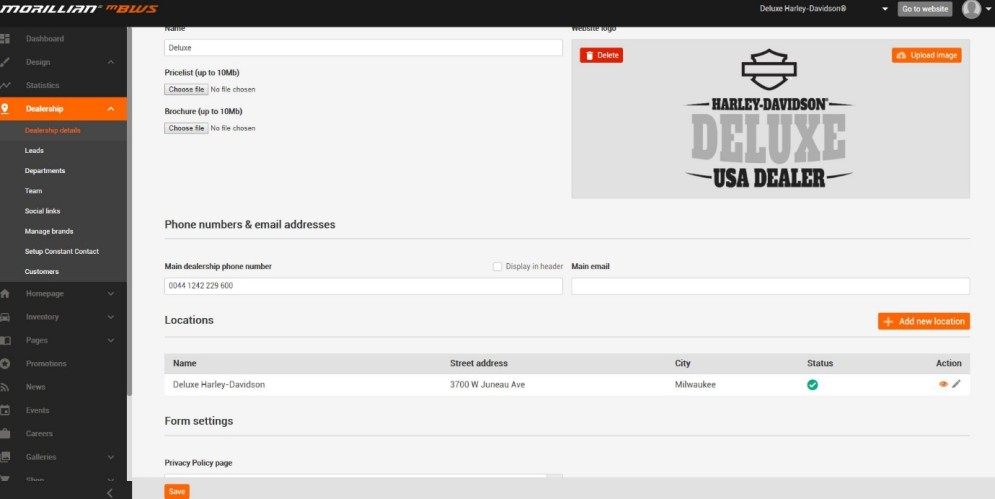
You will then need to scroll down to opening hours, edit the required data, and click save.

To edit an address simply click the pencil icon. Re-type the desired location and save. Remember to inform us of any location changes by emailing support@room58.com

How do I add more than one dealership location?
All sites are set up with one address and map showing the location of your dealership.
If you have multiple dealership locations, you can add each location within Dealership Details under Dealership. (Package selection pending).
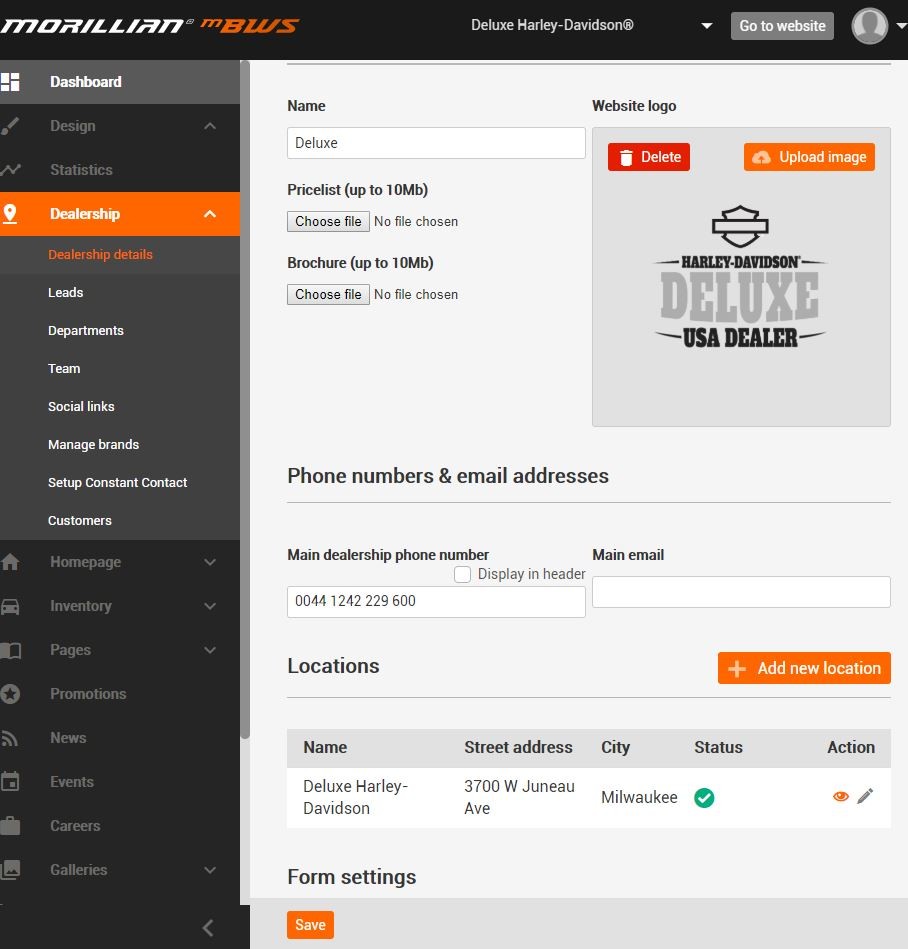
Click the ‘Add New Location’ button and fill out your additional details. Save to complete the addition.
If you want to turn off the "Can we contact you by phone?", "Can we contact you by text?", "Can we contact you by email?" questions under your forms, there is no need to contact us. The control is all in your hands.
All you need to do is log in to the admin panel, click on Dealership, Dealership Details and scroll to the bottom of that page.
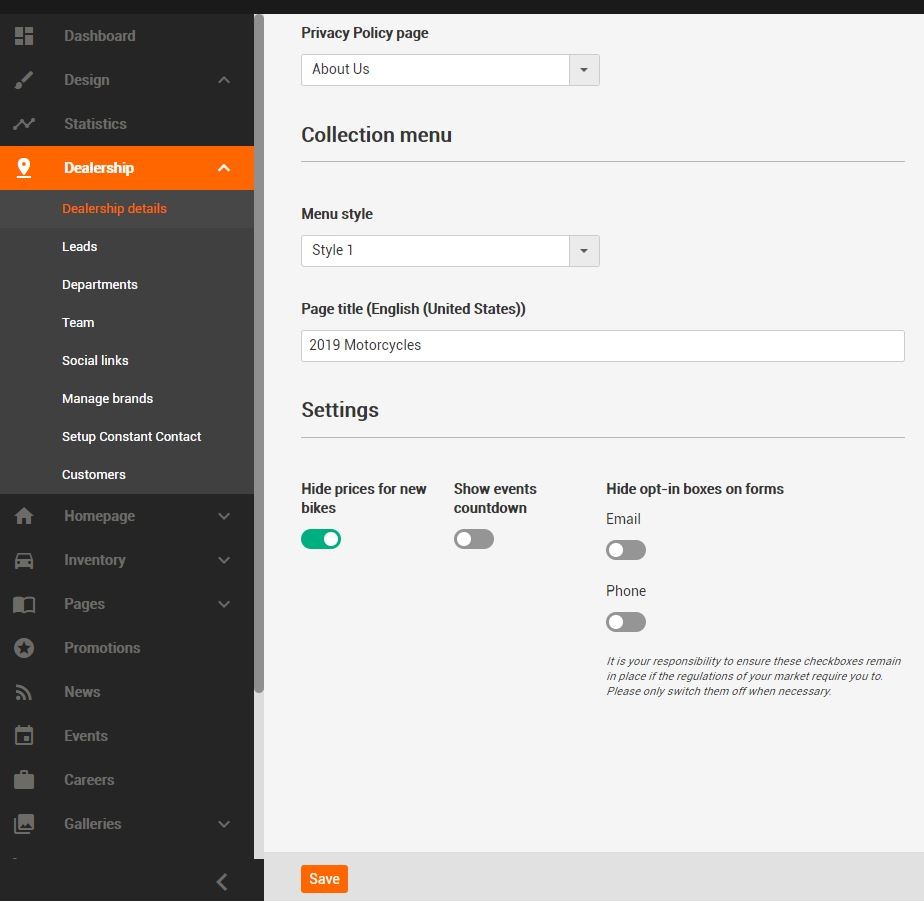
You will see a grey toggle that is titles “Hide opt-in boxes” on forms. Make sure that toggle is green and click save. You can change this at any time if you ever change your mind. Simply click the toggle again so it turns red.
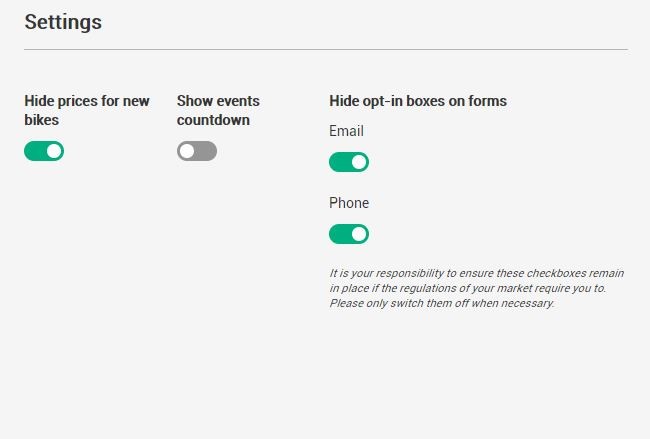
*Please note, it is your responsibility to ensure these checkboxes remain in place if the regulations of your market require you to. Please only switch them off when necessary.
Comments
0 comments
Please sign in to leave a comment.