
1) Log in to your website admin panel
Once you have logged in to your admin panel, click on Shop from the side navigation and then Products.
2) To add a new product, click the ‘add new’ button.
3) Products can be filtered using the dropdown menu. Advanced filters are also available to further refine results..

4) There are two actions available when managing your products:
• To edit a product, click the ‘pencil’ icon
• To publish or unpublish a product, click the ‘eye’ icon.
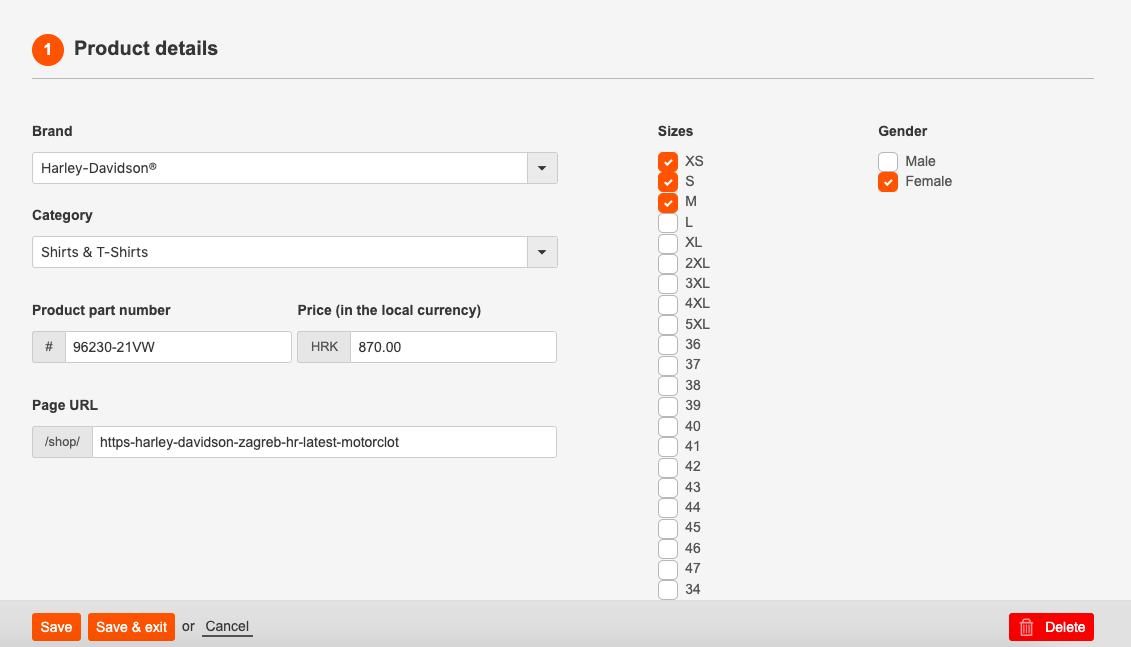
5) Product details: Enter the product title, part number and price. Choose a category from the dropdown menu and enter a brief description into the editor.
6) Product tags: Select sizes and tags for your product from the available list. This will help your customers search for items in your listings.
7) Product images: To upload images click ‘upload image’. You can upload a number of images or one image at a time. To reorder images, simply ‘drag and drop’ an image and click ’save’ to confirm your changes. To permanently remove an image, click the ‘trash can’ icon.
Comments
0 comments
Please sign in to leave a comment.