
You can change the look of your site with the touch of a button!
Changing the look of your website couldn't be easier and the great thing is, you can change it as often as you like, there will be no detriment to your SEO and all of your content and images are automatically transferred into the new look and feel.
1. Log onto the Admin panel and select the Design tab.
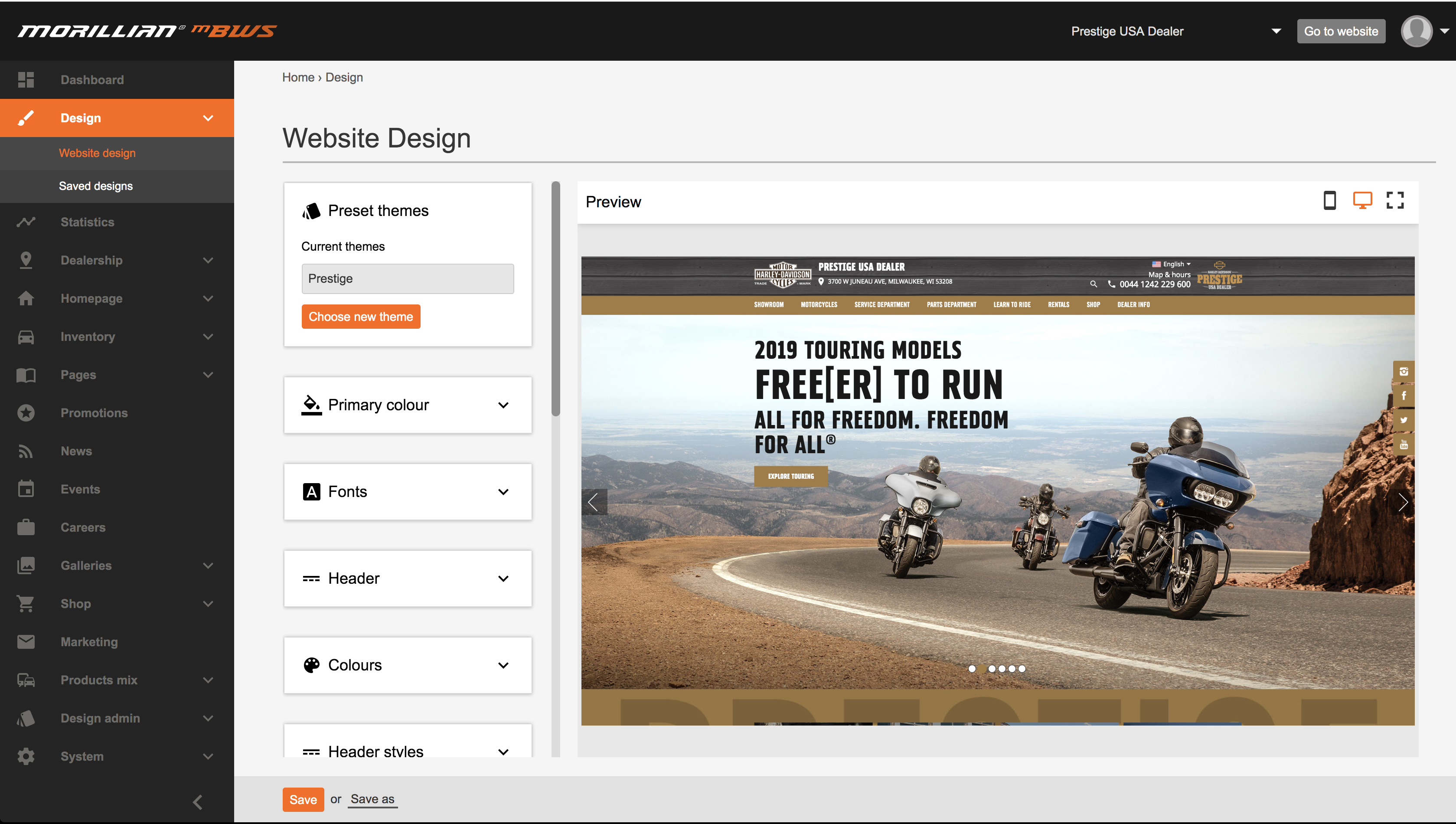
2. A live preview of your site and current theme will be displayed
To see the other themes available, select "Choose New theme". You will then be presented with a collection of themes to choose from.
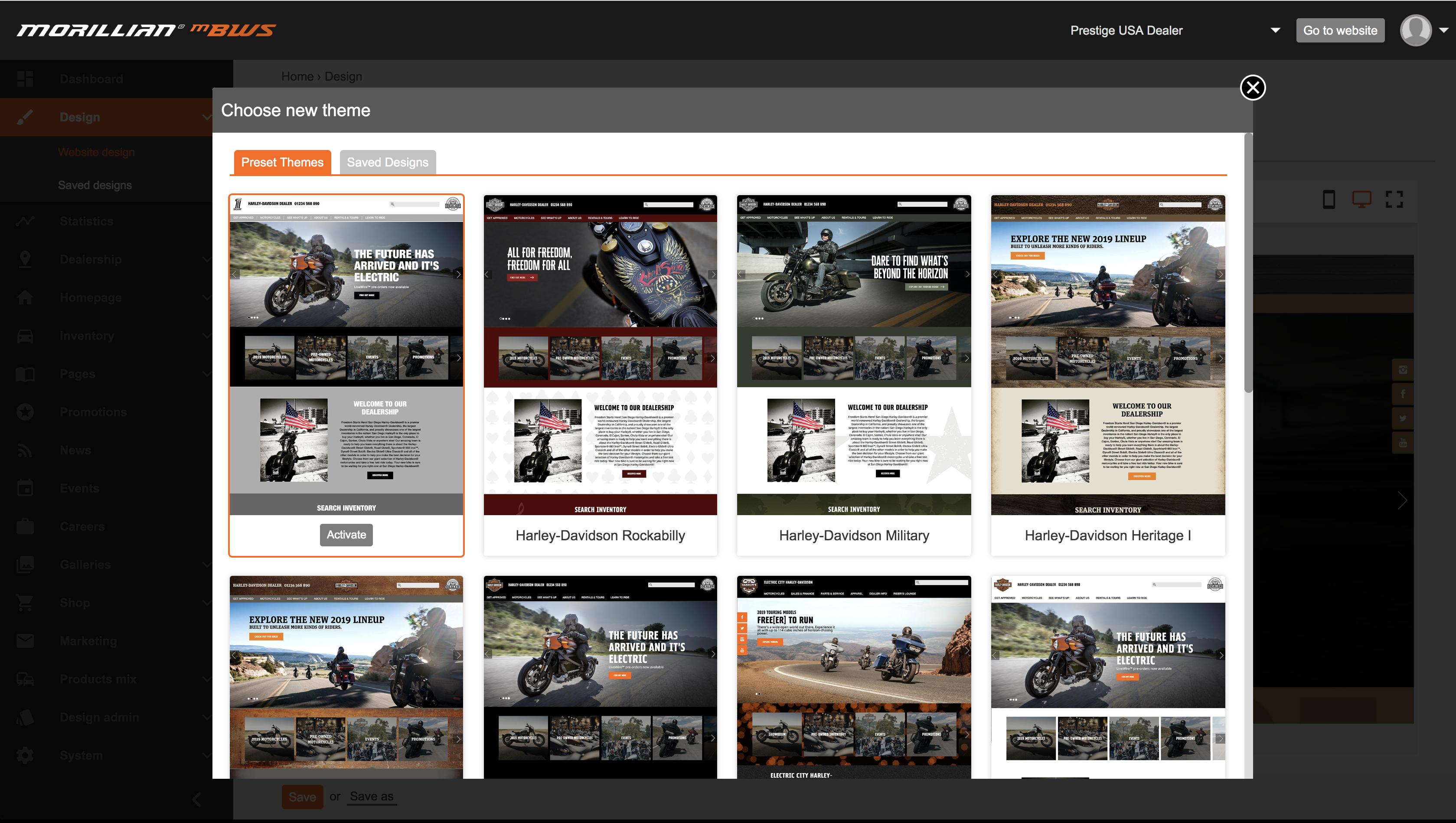
3. Once you have decided upon your new theme. Hover over the image and select "Activate"
Your new theme will now been shown as a preview on the design page. If you like was you see - click "Save" or try out a couple of different ones until you find the theme right for you.
Only once you "save" will the theme be live on the website. Until then, it's a preview for your eyes only!
So you've found the theme for you and clicked "save" - Your new theme is now in place, head over to your site, (don't forget to refresh the page if it was already open) and check it out!
Don't forget you can change your theme as often as you like.
We also now offer CUSTOM themes! Get in touch with the team to discuss having a theme designed solely for your dealership.
Comments
0 comments
Please sign in to leave a comment.