
Installation
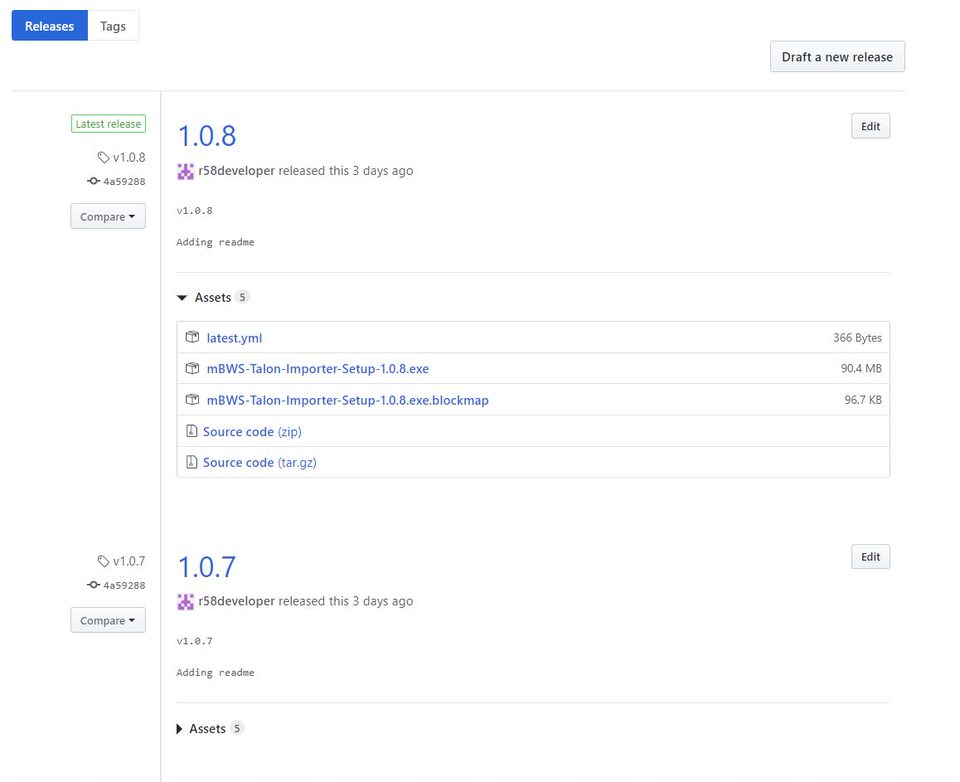
To install the application you need to download it on your machine first. You can find all releases here. Always download and install the latest version which is always on top of the list. In the example below is mBWS-Talon-Importer-Setup-1.0.8.exe. Then install the application by opening the .exe file. This will automatically install the application and open it when it's done.
Tips
-
The application checks for newer version on startup, also after and including version 1.0.7 once a day checks for newer version and prompts the user if found one.
Requirements
The only requirement for imports that are scheduled is the application to be running.
How to work with the application
-
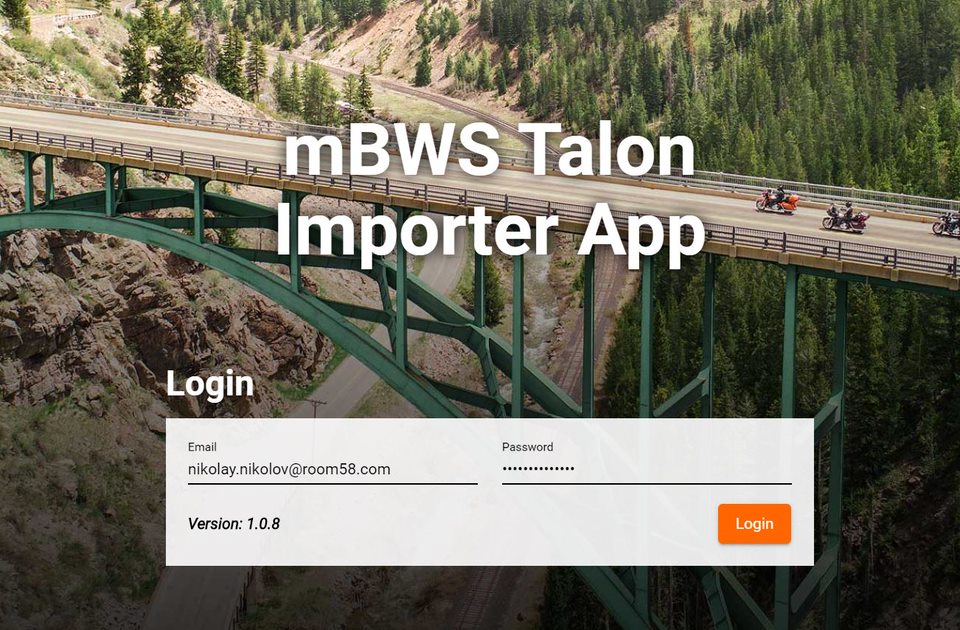
First of all the application requires the dealer to login with their credentials. They are the same as m-bws.com
-
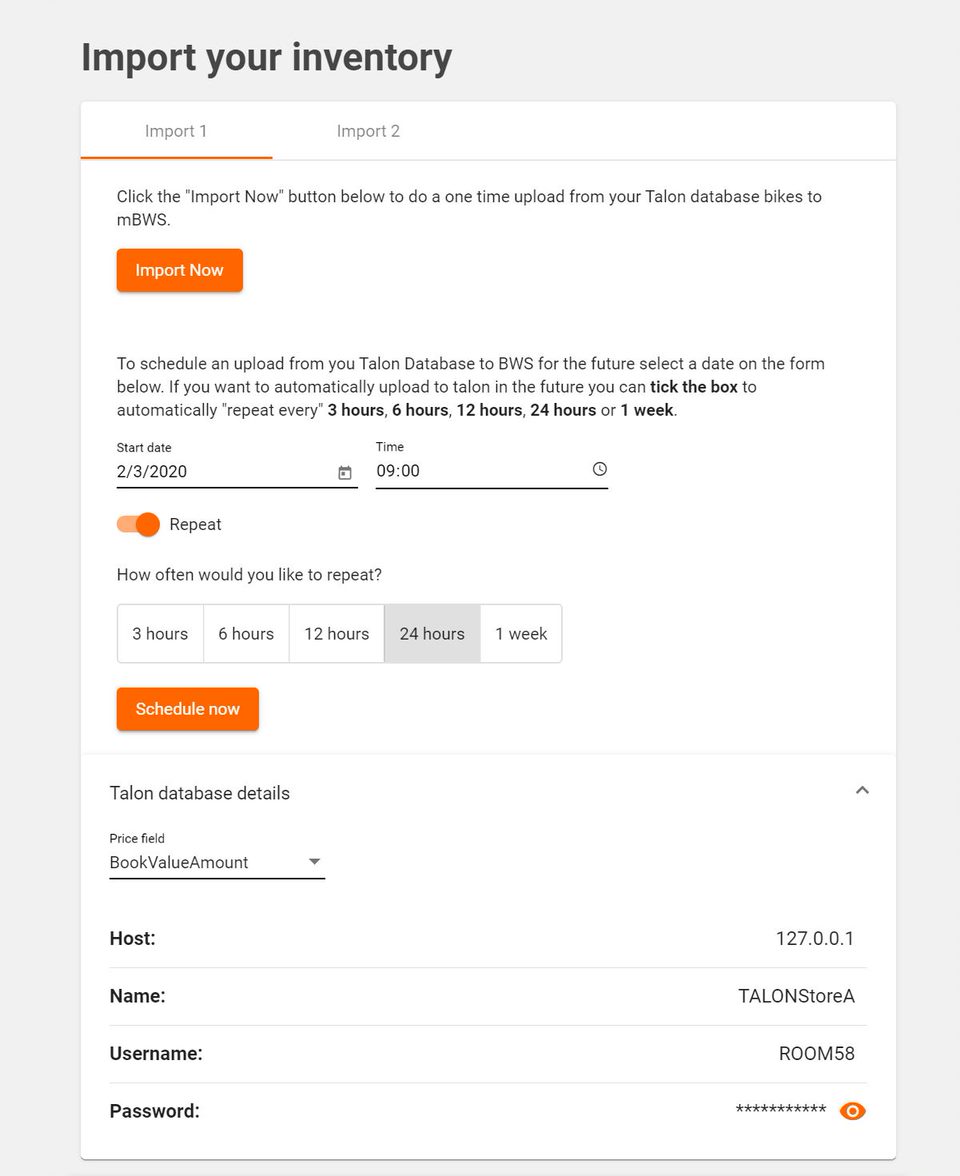
After imports loads, you can either schedule a task to do automatically imports or you can use the 'Import Now' button which will send the bikes data straight away.
When you choose 3, 6 or 12 hours repeat option, you can't choose time and the import will be scheduled for every 3rd, 6th or 12th our of the day.
When you select 24 hours repeat option the import will be scheduled for every day at the time you have selected.
IMPORTANT - Because some dealers are using different fields for price, we have included a Price field dropdown which will help to map the correct field used by the dealer with our system.
-
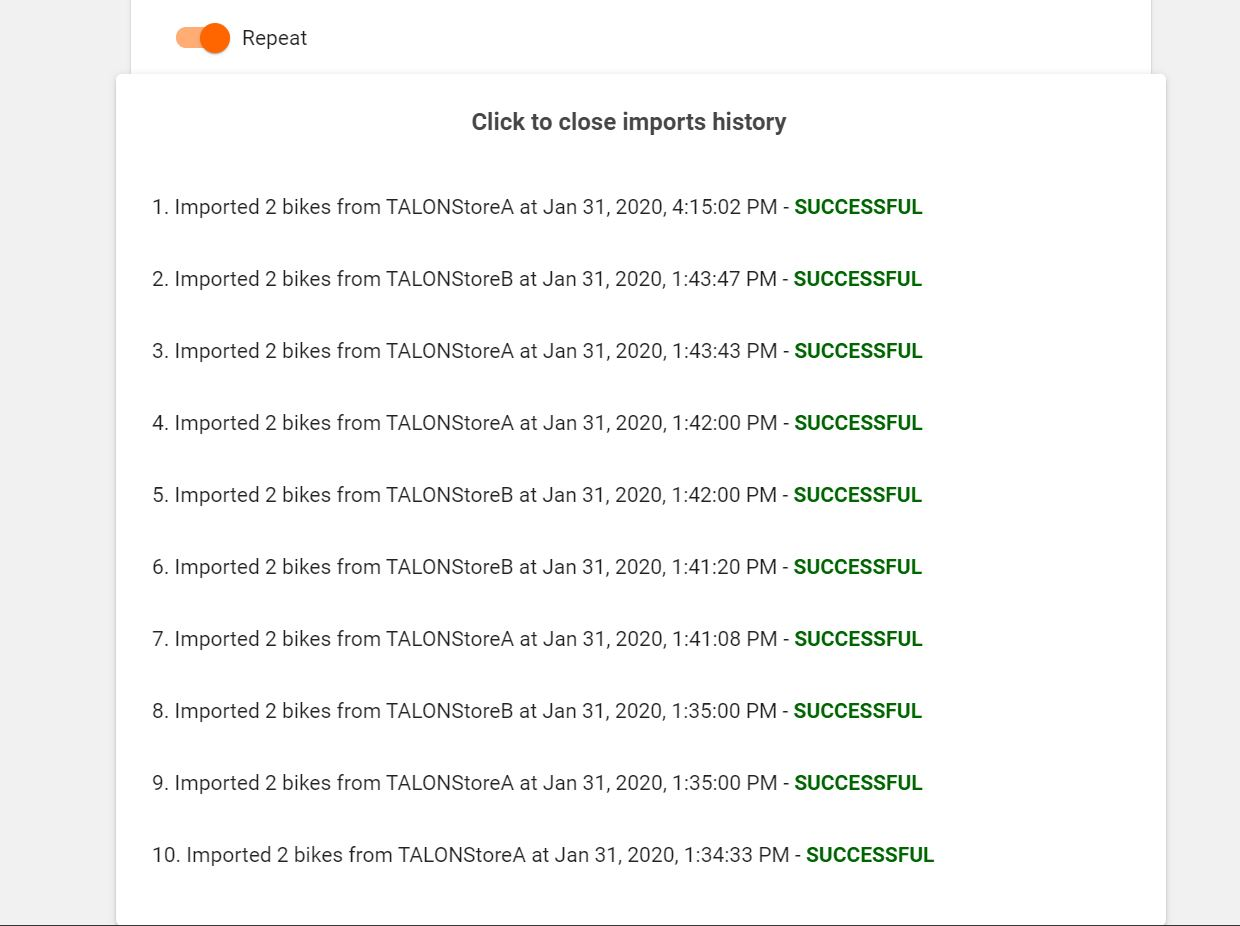
We keep history in the application memory for the last 10 imports. That's where dealers can see if the data has been imported successfully.
Comments
0 comments
Please sign in to leave a comment.