
1) Log in to your website admin panel
Once you have logged in to your admin panel, select Inventory and New stocklist from the side navigation.
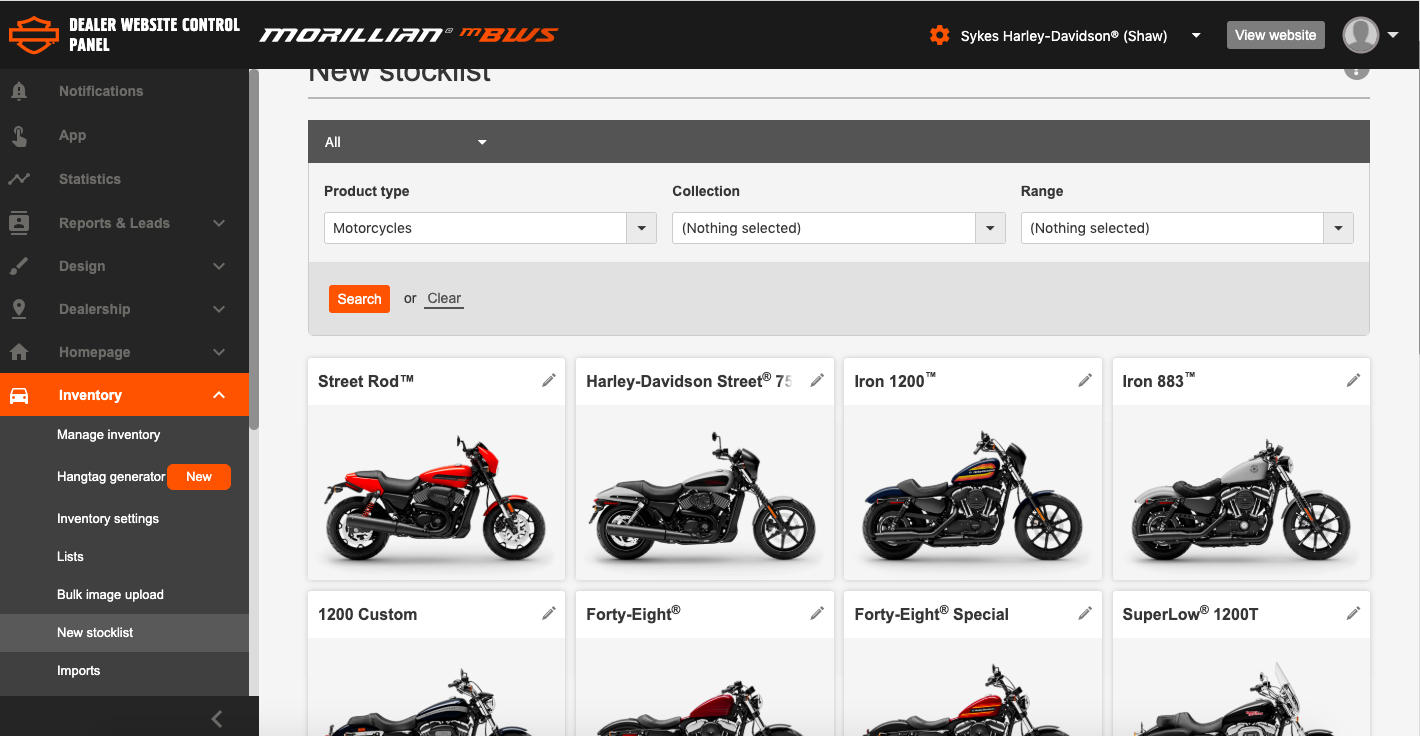
2) To add/edit a new motorcycle on your stocklist, click the ‘pencil’ icon.
3) Enter the price and stock level of the selected motorcycle. Use the dropdown menu to choose the stock status of each colour variant. You can mark an item as ‘in stock’, ‘out of stock’ , "available to order" and ‘coming soon’.
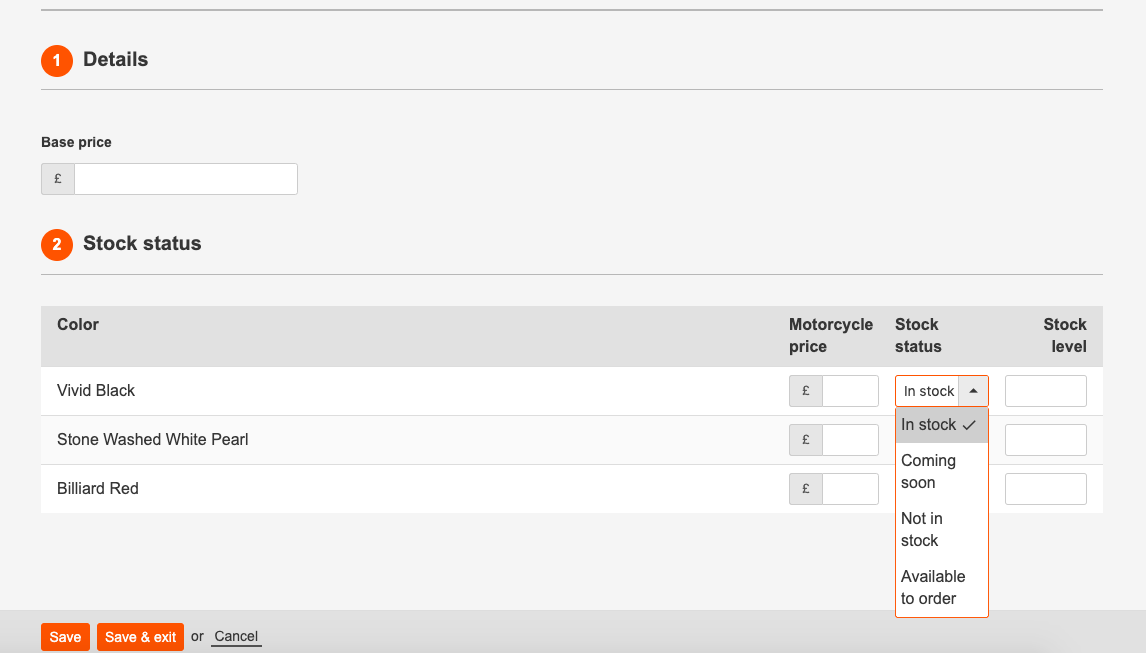
4) Save: click ‘save & exit’ to save your progress at any time.
Comments
0 comments
Please sign in to leave a comment.