
Features are the content and image blocks that appear on your homepage. They are a great snippet of information for your customer but are also really important from an SEO point of view. So, even if you just stick in a picture of the dealership and steal a paragraph from your About us page, it's worth doing!
Here's how you edit, update and reorder your features.
1) Log in to the admin panel.
Once you have logged in to your admin panel, select Homepage and Features from the side navigation or by clicking in the quick links section of your dashboard.

2) In the Feature Manager menu you can add, reorder, edit or delete your features as required.
Select 'Add New' to create a new feature or select the pencil icon to edit an existing feature. If you wish to remove a feature, you can either click the eye icon to un-publish and save for a later date or click the pencil icon and then "delete".
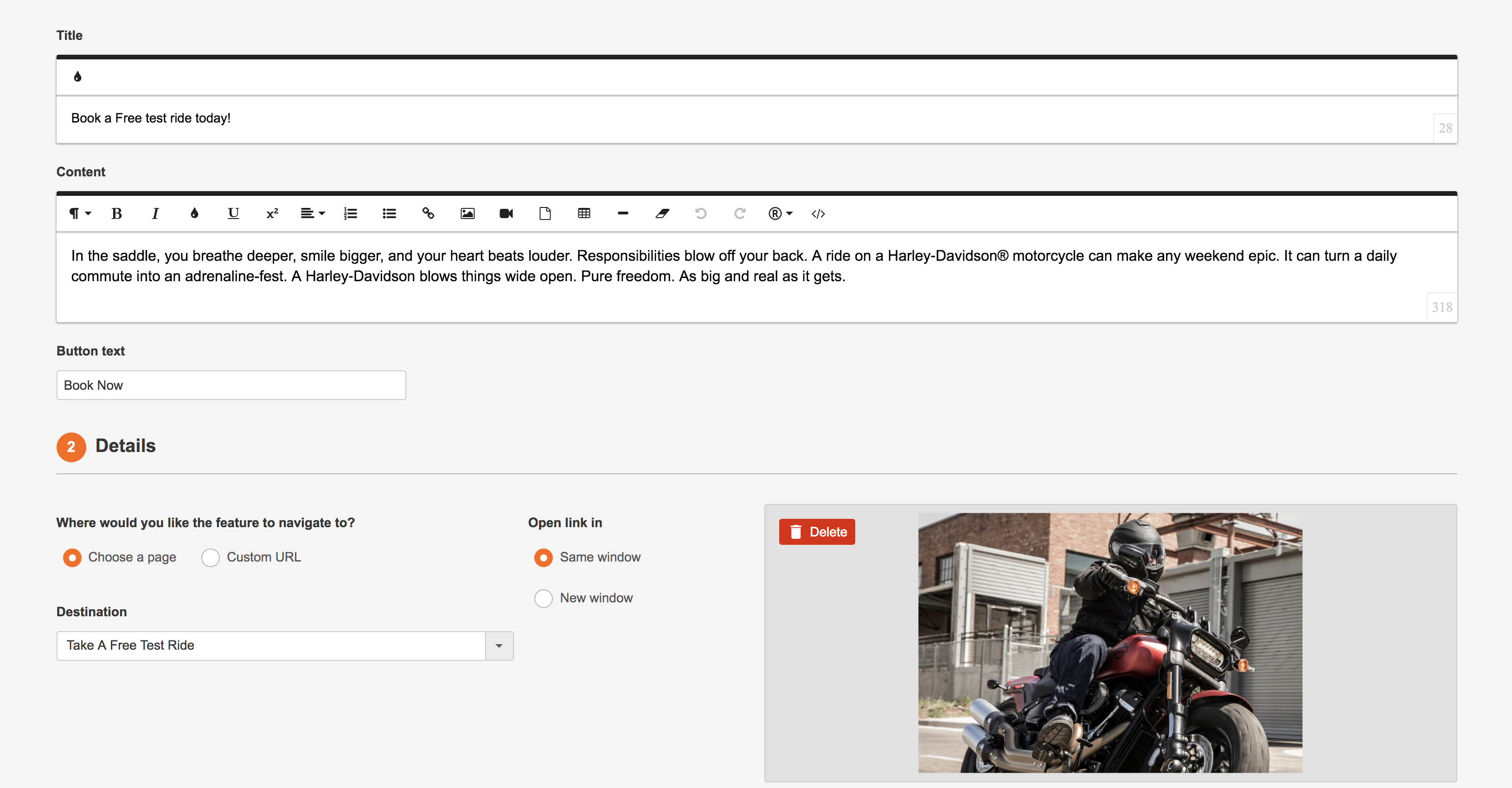
3) Ok, so it's time to add or edit the content. Once in the editing screen, add your title and then the main text of the feature in the content box. This content will appear on your homepage, so keep it as clean and simple as possible.
Once you are happy with the content, choose where you would like your feature to link to and add an image.
Now all you need to do is click the publish toggle and your masterpiece will come to life!
Comments
0 comments
Please sign in to leave a comment.