
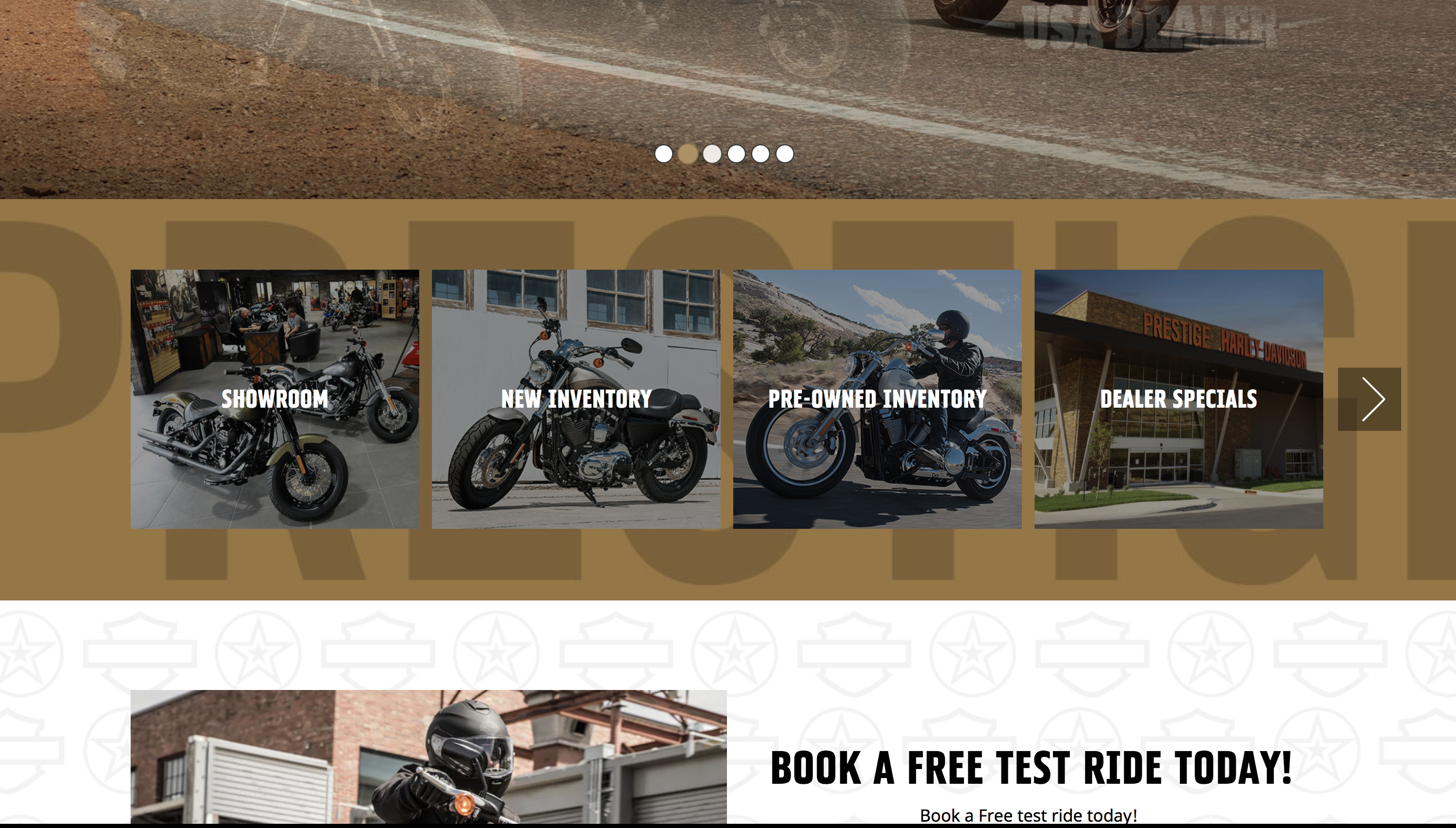
MPU's are the little quick link blocks on your homepage. They are ideal for drawing your customers' attention to the important things; bikes in stock, events, promotions and so on.
1. Login in to the admin panel and select "homepage" and then "MPUs".
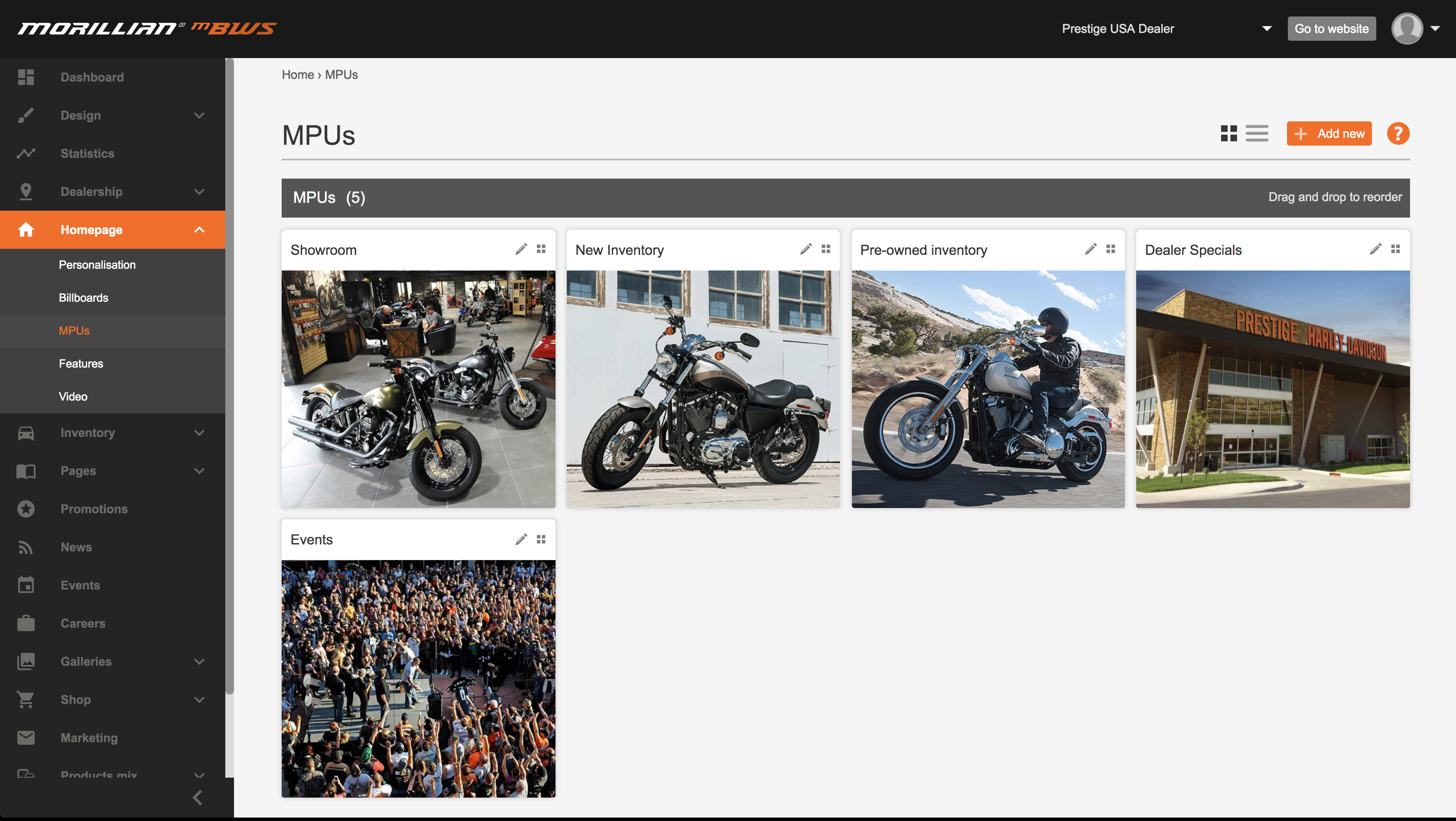
2. You can have as many MPUs as you wish, however any more than 7/8 and you could end up impacting the load speed of your homepage and the patience of your customer. To change the image, title or link of your MPUs, click the pencil icon to begin editing. To create a new one click "Add New".
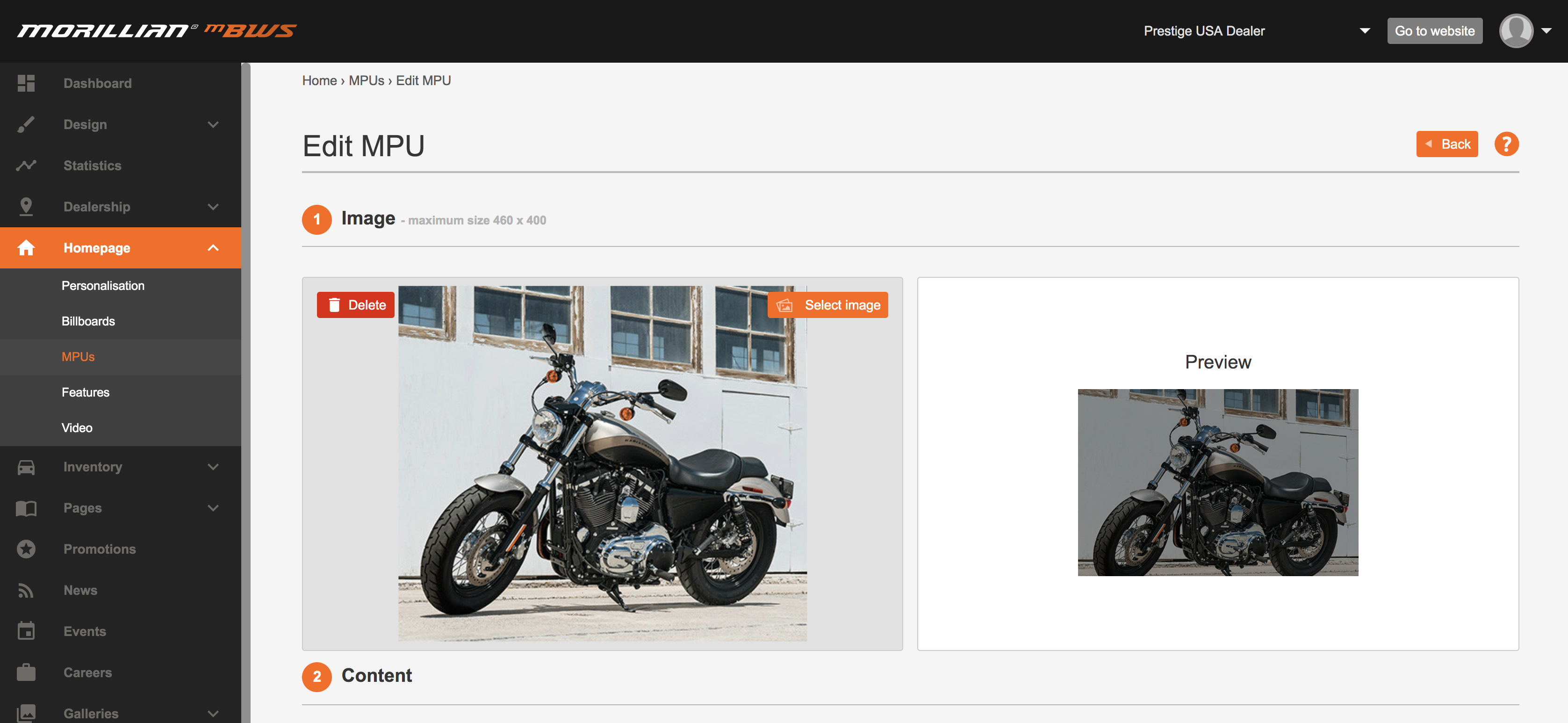
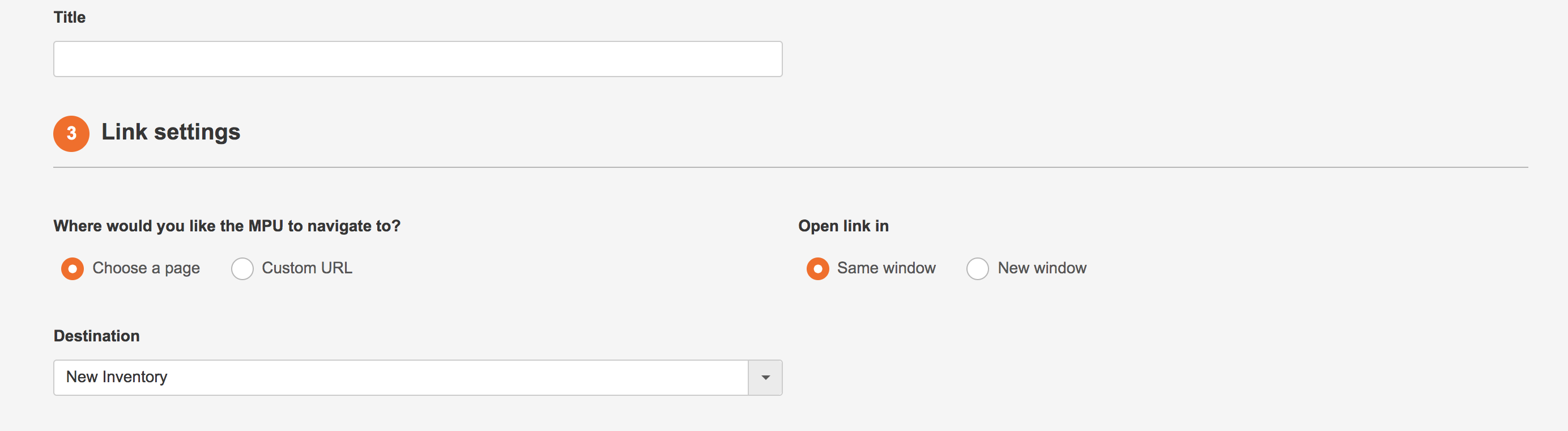
3. From here, you can change the image and title of the MPU as well as the destination when clicked. You can even specify if you require the link to open in a new window (for external links). You can see a preview of what your MPU will look like at the top the page before saving your changes and applying to your website homepage.
Change up your MPUs whenever you need to, making sure your customers are always directed towards the latest and greatest content on the site.
Comments
0 comments
Please sign in to leave a comment.