
There are now even more ways to personalise your homepage.
Head over to the "Homepage" page under Pages, Page settings & content, where you can now reorder all the elements on your homepage by simply dragging and dropping them into the desired areas.
Whether you choose to keep your layout the same, move your MPU's, features or news articles to the top, the choice is yours and with the click of a button your brand new homepage layout will be displayed on your site straight away, with no need to edit content and no detriment to your SEO.
1. Log into the admin panel, select the "Pages" tab, "Page settings & content" and then select "Homepage":
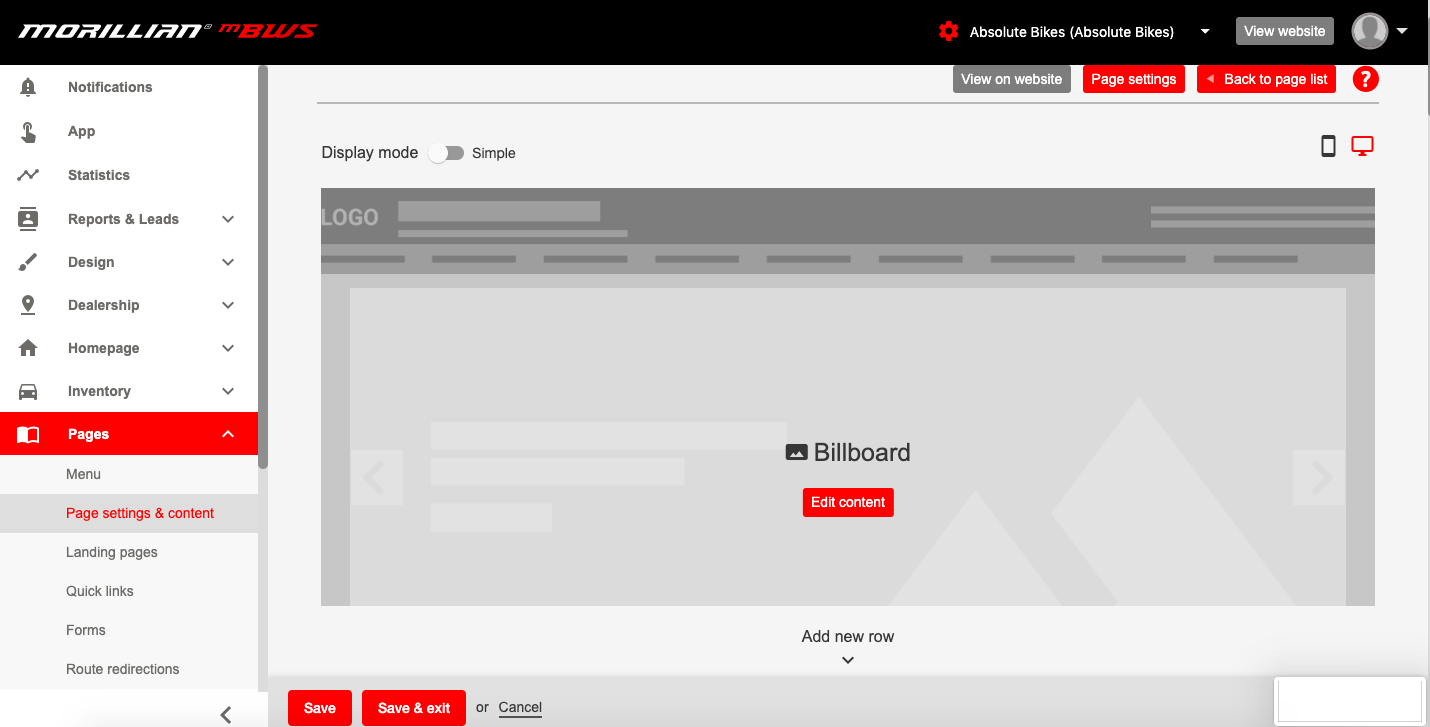
2. The current layout of your homepage will be displayed and split into different module blocks which represent the content currently in place.
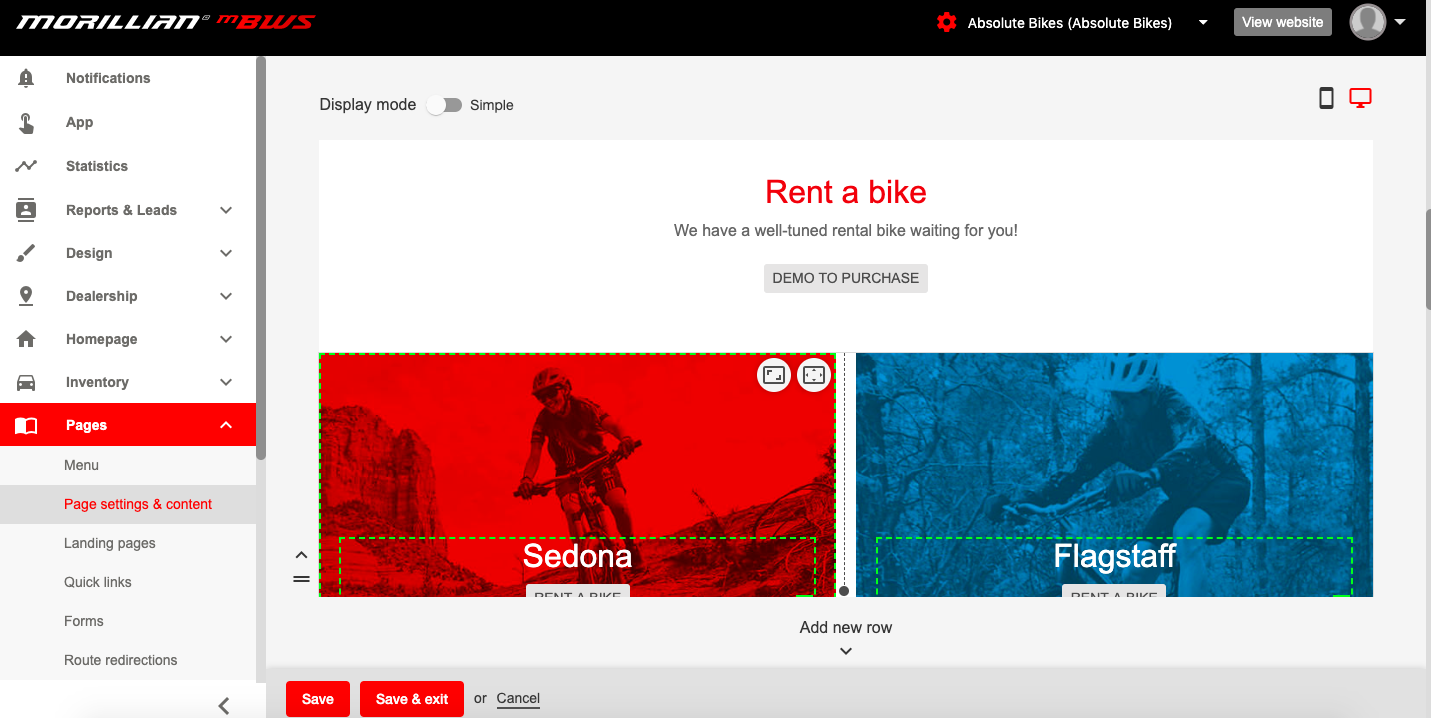
3. To reorder your homepage simply click and hold the three horizontal lines on any of the modules and drag it into the new position
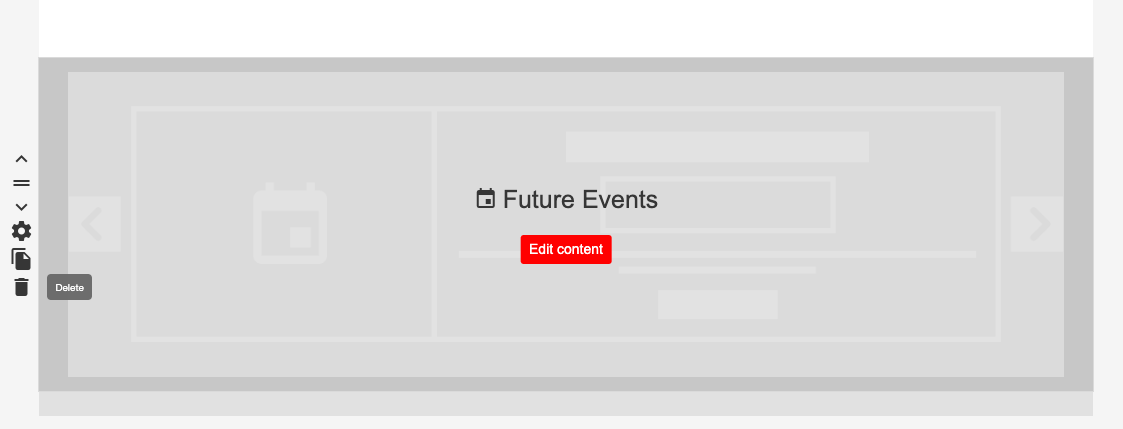
4. You can also choose whether the modules display on your homepage at all. To do this click the trash icon shown on the left of each of the modules:
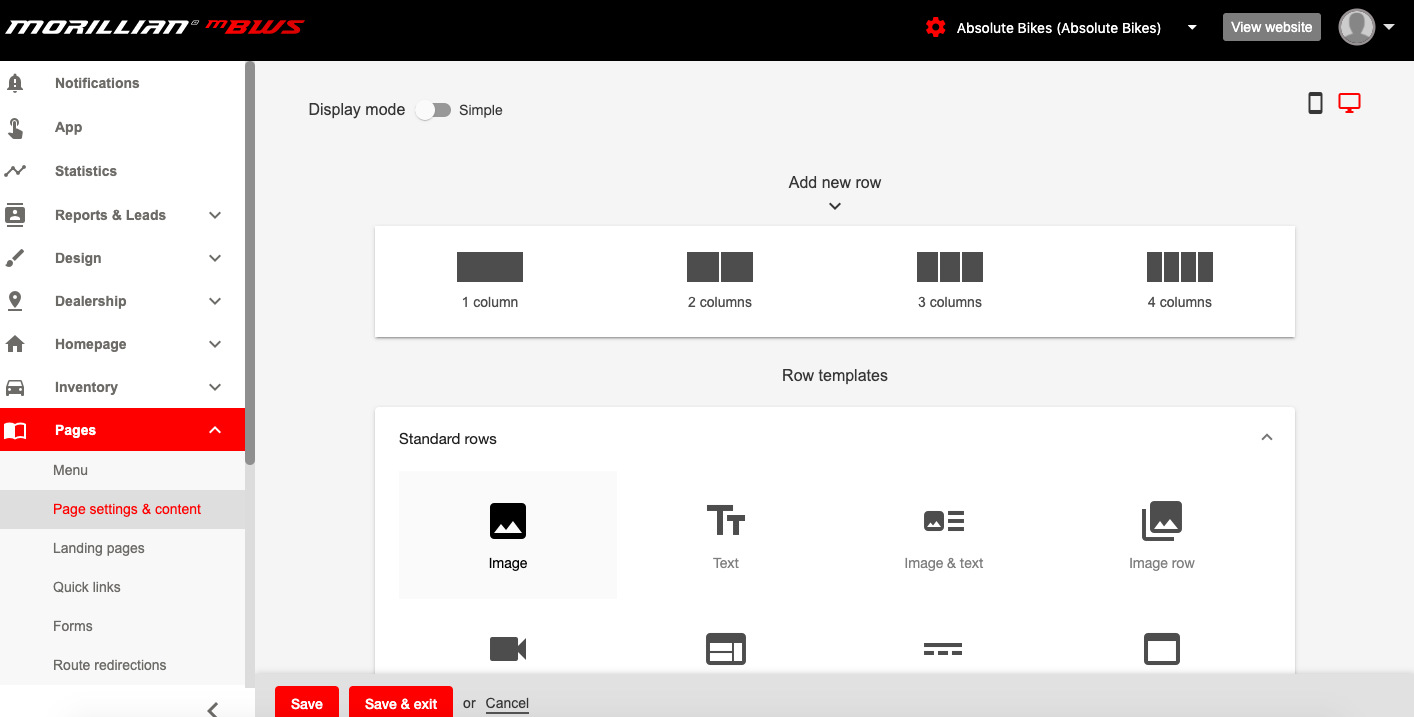
5. To add more sections, scroll down to the bottom of the page where you will see a selection of options that you can add to your homepage. Simply click on the option you want and add your content. You can choose between videos, images, how many blocks you want on each row and many more.
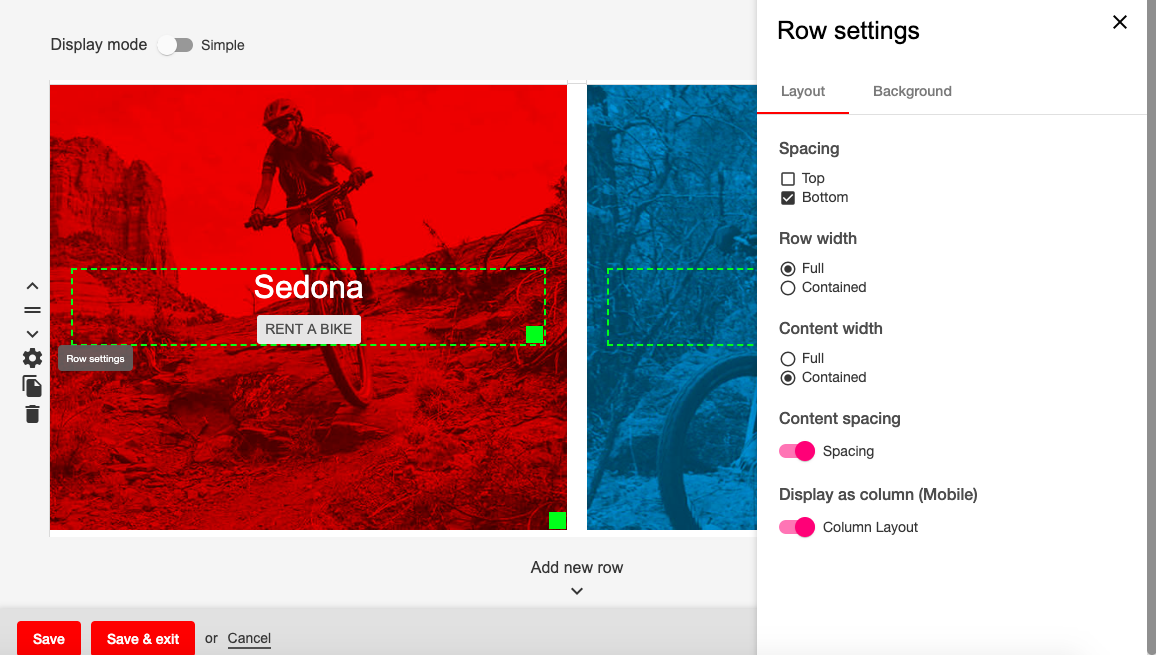
6. To edit the row settings that you have selected you can click on the settings toggle on the left hand side of each row:
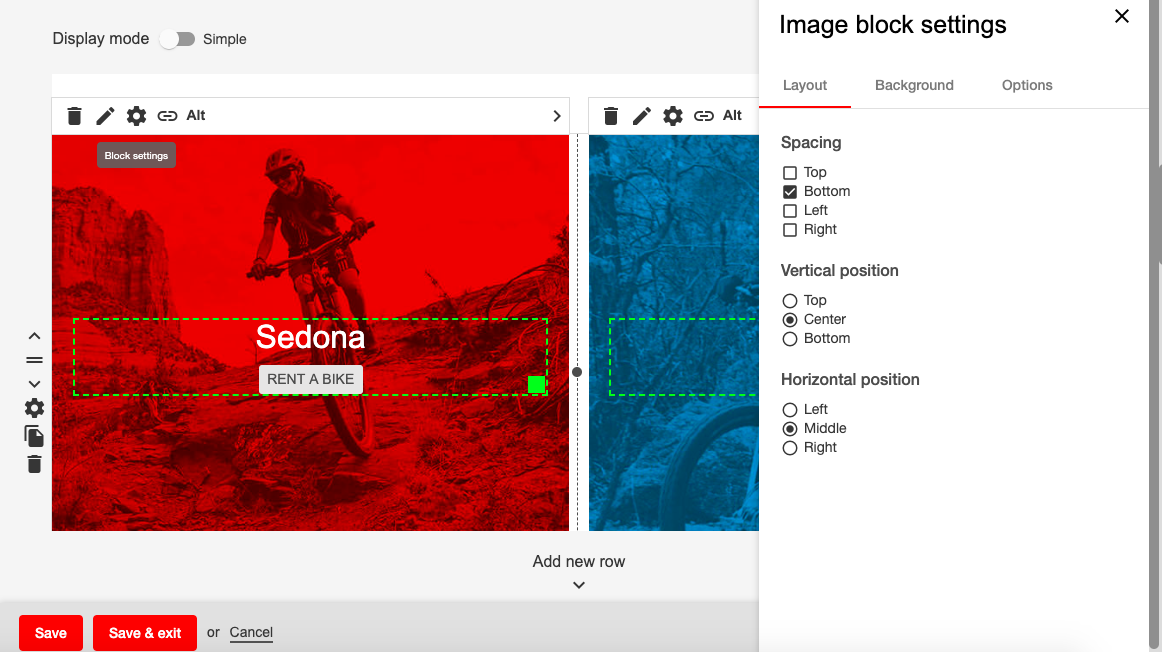
and to edit the block settings click on the settings toggle on each column individually for more options:
7. Once you are happy with the layout of your homepage select the "save & exit" button at the bottom of the page. A green banner will then display to let you know the changes have been saved.
Your new homepage is now in place, you can view it on the live site and make changes as often as you require.
Comments
0 comments
Please sign in to leave a comment.