
Wether you're looking to adjust the settings on an existing page or you're adding a new page to the site, the page settings function is so easy to use and can be a powerful tool to boost your SEO and online visibility.
Creating a new page:
Head to the admin panel and select "pages" and then "page settings & content" where you'll see all of your existing pages on the site, plus the "add new" button to the top right of the page. Click "add new" and begin entering the page title and selecting the module type.

Module type - this is the type of page you are creating, so for instance you can create a "standard page" which won't have any pre populated content. If you were to choose "events" or "inventory" then the page builder will identify that and automatically add the events or inventory grid onto the page/edit page section where you can then make any further adjustments or change the filters etc.
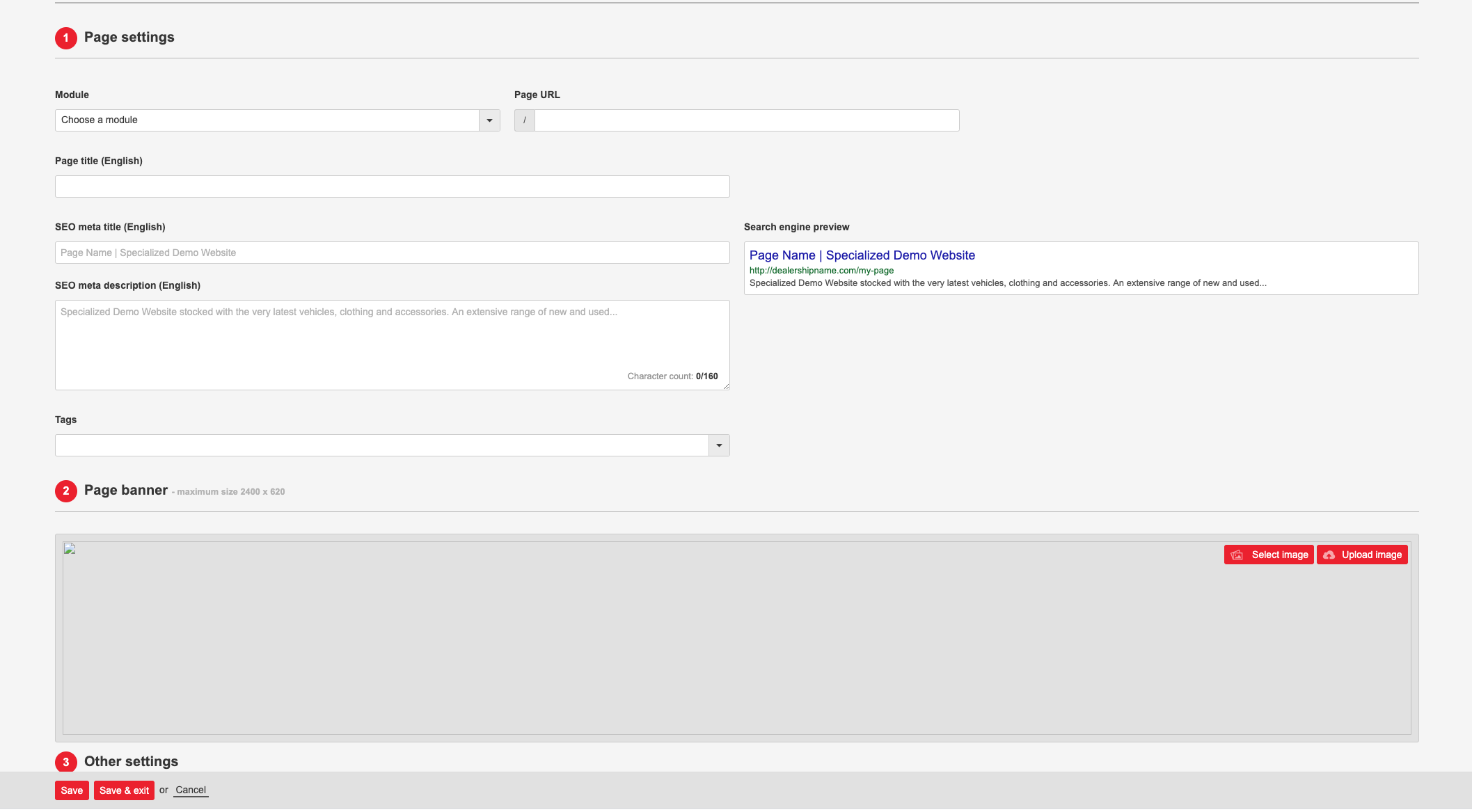
Page title - This can be anything you like and will help you identify your page further down the line when adding it to your main menu. This will also appear as a main page title on the website, but of course you can switch the toggle on to hide the page title on the published live page.
Once you have entered the page title you can then add the custom URL, this will pre-populate with the text used for the page title but of course you can change this if you wish to have this customised to your liking.
SEO Meta title - This is basically the Title that appears on a search so for instance if you're searching for the dealership via google you will see this title first in the search results with the description just below. You can actually view a preview of how this will look.
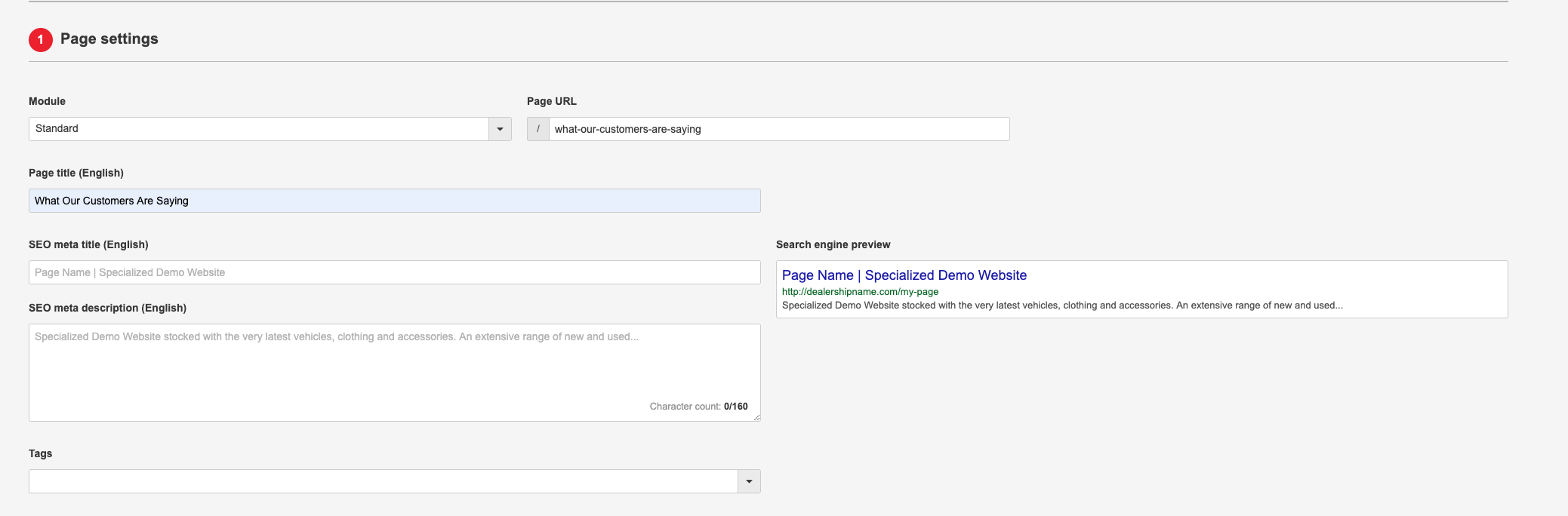
SEO Meta description - This is the short description that will pop up when you pull search results on a search engine. It uses key words entered here to find the page or site that the customer is looking for, so for instance if you were to include your dealerships location plus a brief description of key services that you offer, your customers have a better chance of finding you folks at the top of the search list! You are limited to 160 characters as is this the amount of characters that search engines will actually recognise and take note of so choose wisely! We actually offer SEO packages that are customised to fit your business needs so just let us know if you'd like to know more!
Page banner - This is the image that sits at the top of your page, you can create custom content that can be uploaded here. Or you can choose to have the head of the page blank if you want that simplistic vibe!
Once you're happy with the page just scroll right down to the bottom and hit "publish" which will make your page available to add to your menu or to link out to via a link etc.
Comments
0 comments
Please sign in to leave a comment.