
1) Log in to your website admin panel
2) Once you have logged in to your admin panel, select Galleries from the side navigation and click Video Gallery.
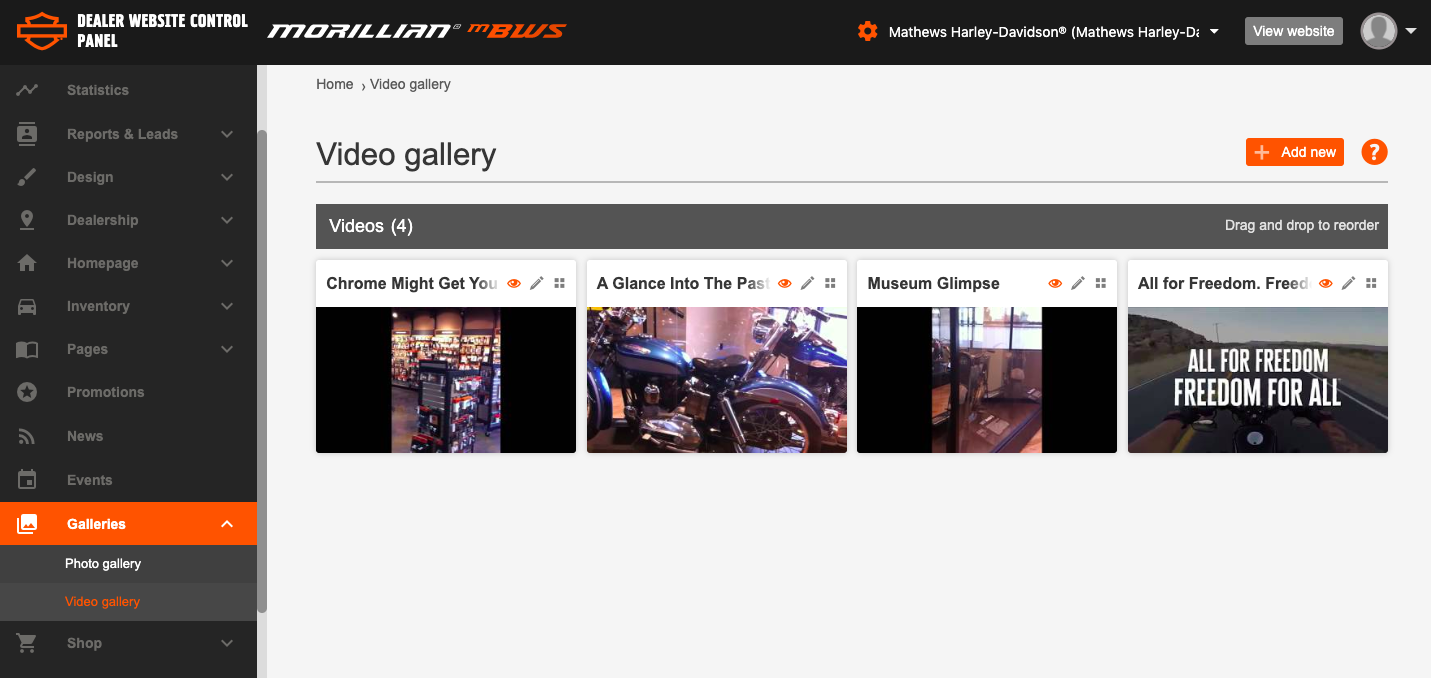
3) To edit any of your existing Videos simply click the pencil icon or the body of the thumbnail to be taken to the edit page.
If you would like to reorder the listing of your videos you can click, drag and drop your videoss moving them about.
4) To create a new Video click 'Add New' to begin.
5) Name the video and add a short description to let people know more about the context of the video. Videos must be uploaded on an appropriate site (for example www.youtube.com) as they cannot be uploaded as raw mp4 files.
Add the url of the video by going to required video on www.youtube.com, click ‘share’ and copy the url that appears. Paste this into the url field in your control panel and the video will display on your site.
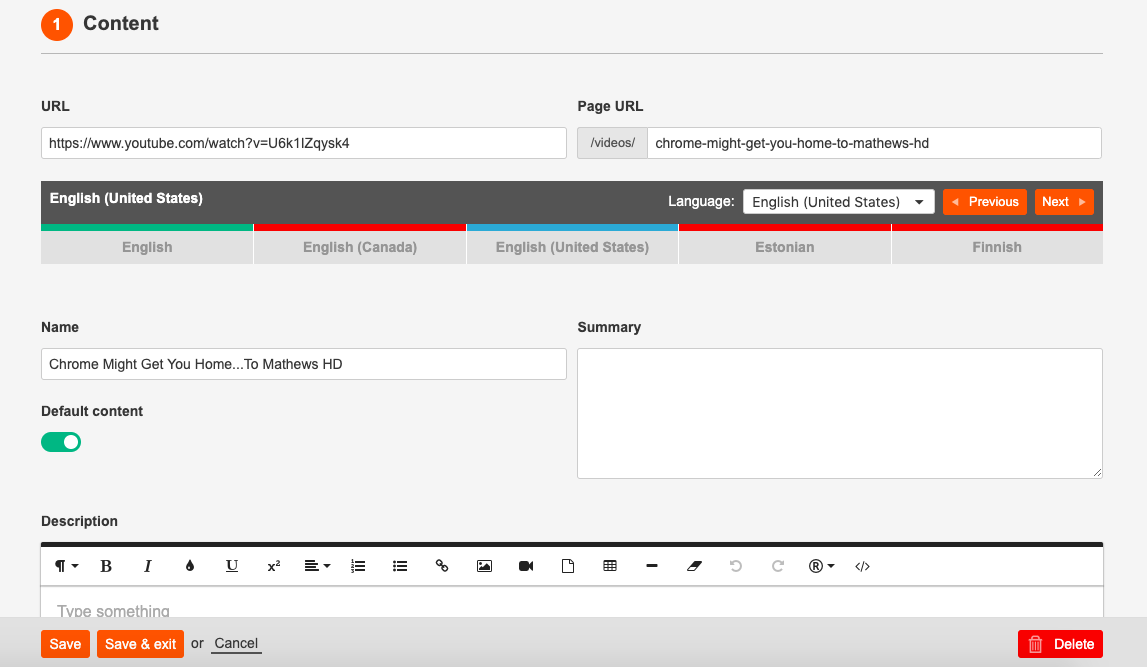
6) Ensure you have enabled the Published toggle so it is green. Once you have clicked Save all of this will be uploaded and displayed on your website.
Comments
0 comments
Please sign in to leave a comment.